
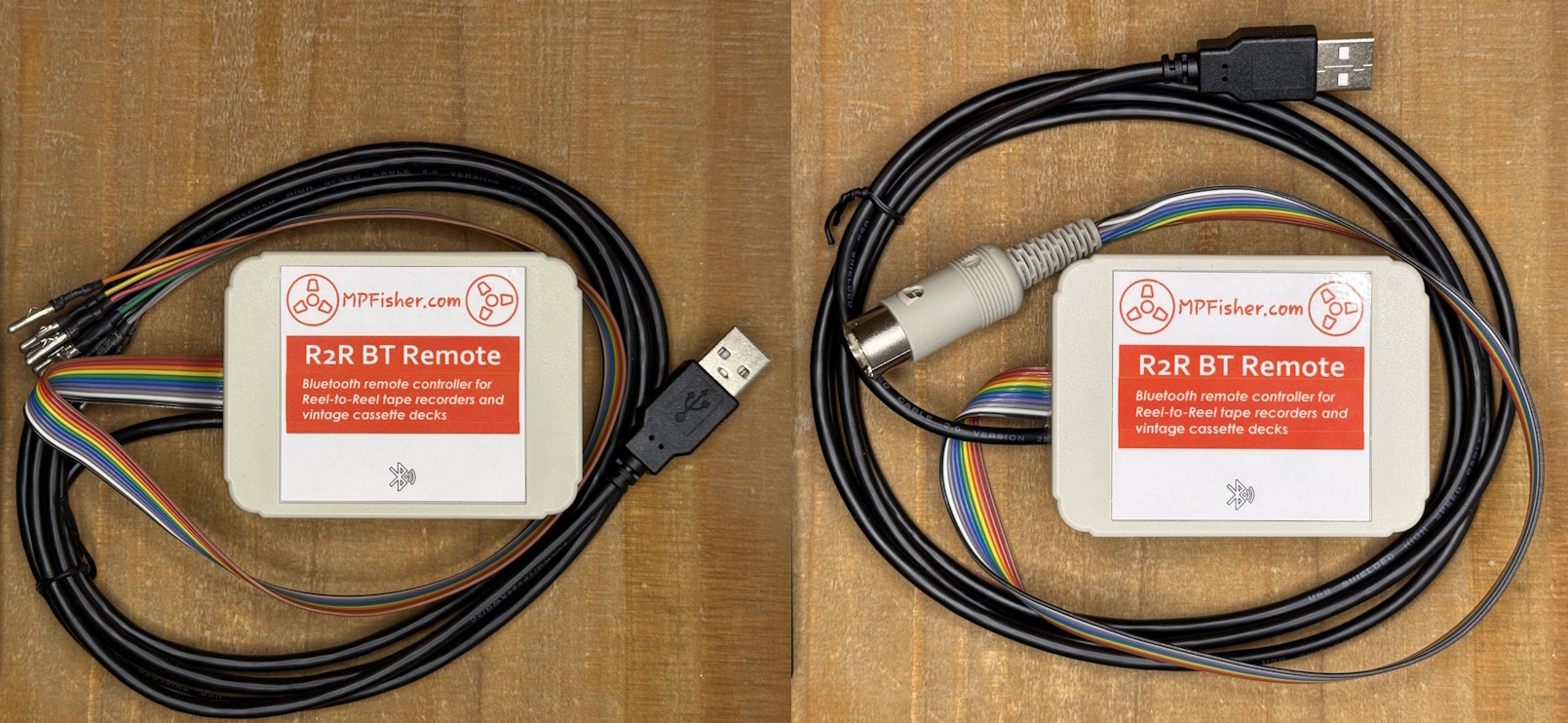
Wireless Remote Controller designed for Reel-to-Reel tape recorders and vintage cassette decks. Allows to control of all functions of tape recorder, including reverse-play, record and auto-mute.
Two versions available:
1. With individual pins, universal connection for all tape recorders which use “Octal-style” socket for remote control connection. Technics, older Akai, Sony, Pioneer, Teac / Tascam and similar.
2. With DIN-8 plug, for AKAI Reel To Reel Decks GX747, GX646, GX636, GX77
and Akai cassette decks GX F31, GX F51, GX F71, GX F91, GX F95.
GX R70, GX R75, GX R88, GX R99, GX F15, GX F25, GX F35, GX F37,
CS F9, CS F11, CS F33R, CS F36R, CS F39R, GX F44R, GX F60R, GX F66R, GX F66RC
* Tested on GX747 and GX77. Please contact me to check compatibility with your tape machine.
This remote controller can also be wired directly to Pioneer RT-909 and similar tape machines or cassette decks.
How it works
It connects to your tape recorder or cassette deck via “Remote Controller” input connector located at the back of the tape recorder. It emulates the old, wired-type remote controllers for Technics, Akai, Sony, Teac / Tascam, etc. However, it uses wireless, Bluetooth technology as a link between the remote and the receiver. This means that the receiver does not require direct line of sight of the remote and can be located behind the tape recorder. You could even control your tape recorder from another room if you wish!
Wiring the receiver
The flat “ribbon” cable from the receiver should be plugged in to the remote controller socket on the back of the tape recorder. Pictures below show the sockets on Technics and Akai tape machines.
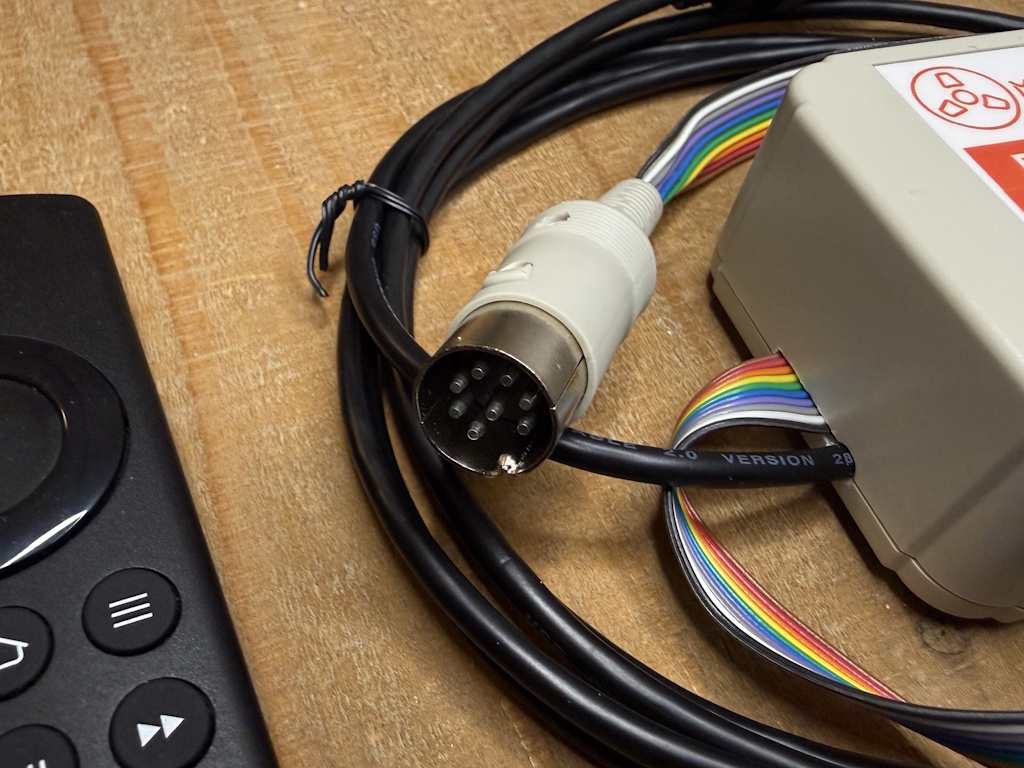
Receiver with a cable terminated with DIN-8 plug, for Akai GX747, GX77 and similar.
Simply plug it in and you are good to go. Don’t forger to plug the USB cable from the receiver to your phone charger.
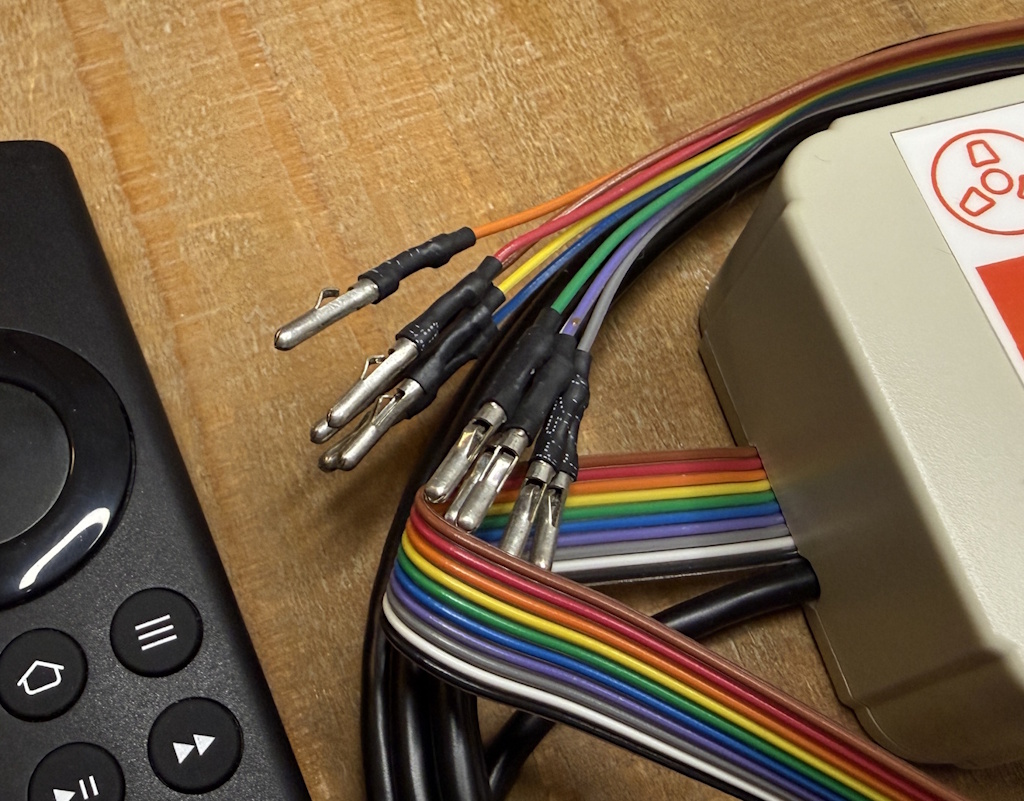
Ribbon cable from the receiver is terminated with individual “bullet” pins for maximum flexibility. Rather than using dedicated plug for specific make and model of the tape recorder, these pins can be inserted into any socket and pin layout on virtually any tape machine.
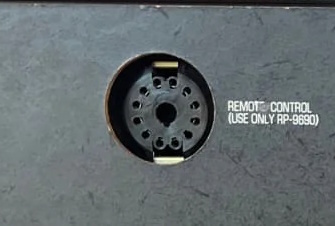
View of 12-pin remote control socket on Technics RS1500, RS1506, RS1520, RS1700 and similar tape recorders. Many vintage cassette decks from Technics also use this connector.
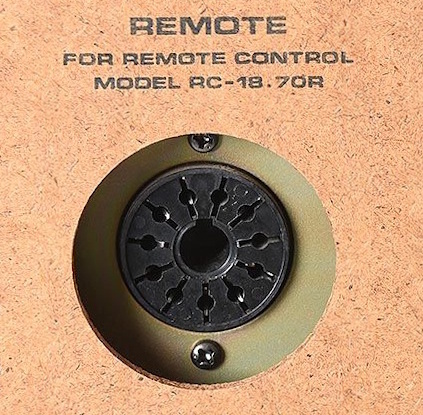
View of 11-pin remote control socket on Akai GX635, GX636 and similar tape recorders. Many of Akai cassette decks will be equipped with this type of connector.
Individual pins make this remote controller universal. It can be connected to many different makes and models of tape recorders and cassette decks, not only those listed above. Please contact me to check the compatibility with your tape recorder or cassette deck.
As a side note: there are dedicated plugs still available however, these are very expensive – approximately 40USD per piece. I have decided not to use them to keep the price of the receiver down.
Here is a picture of the Technics tape recorder with the remote receiver wired-in.
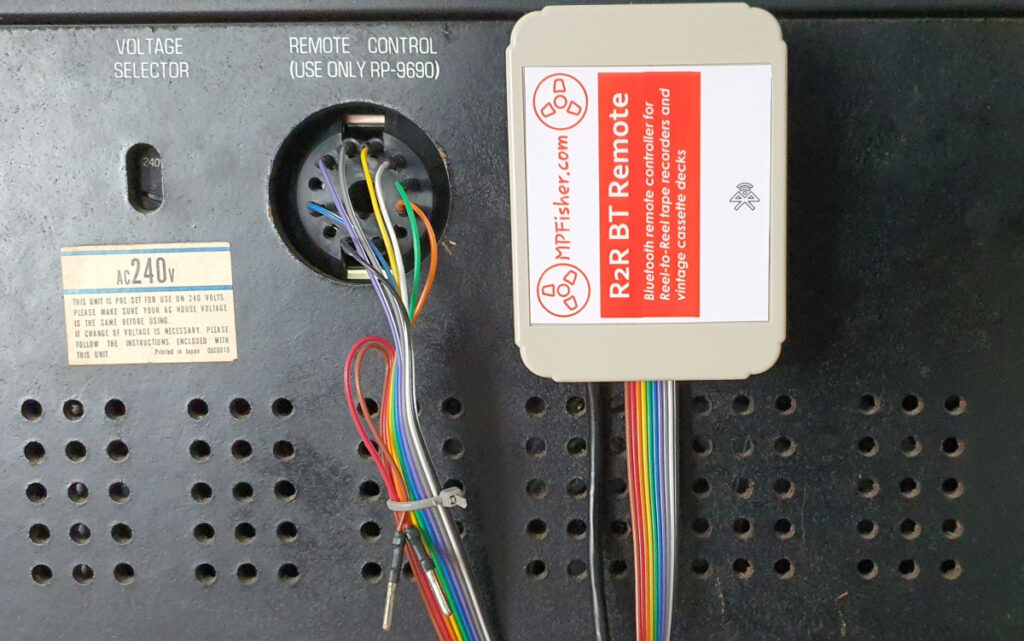
Please follow the diagrams below to wire the receiver to your tape recorder. Simply push each bullet pin into the respective position on the socket and that’s it!
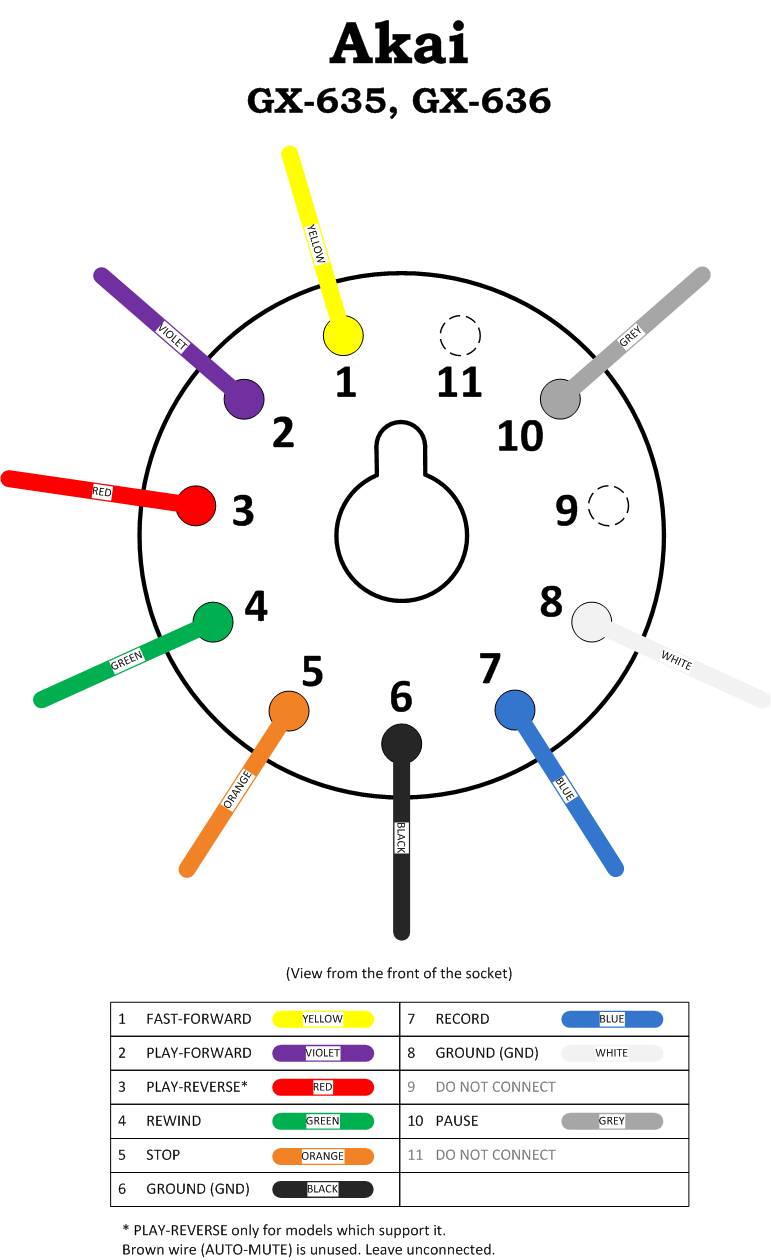
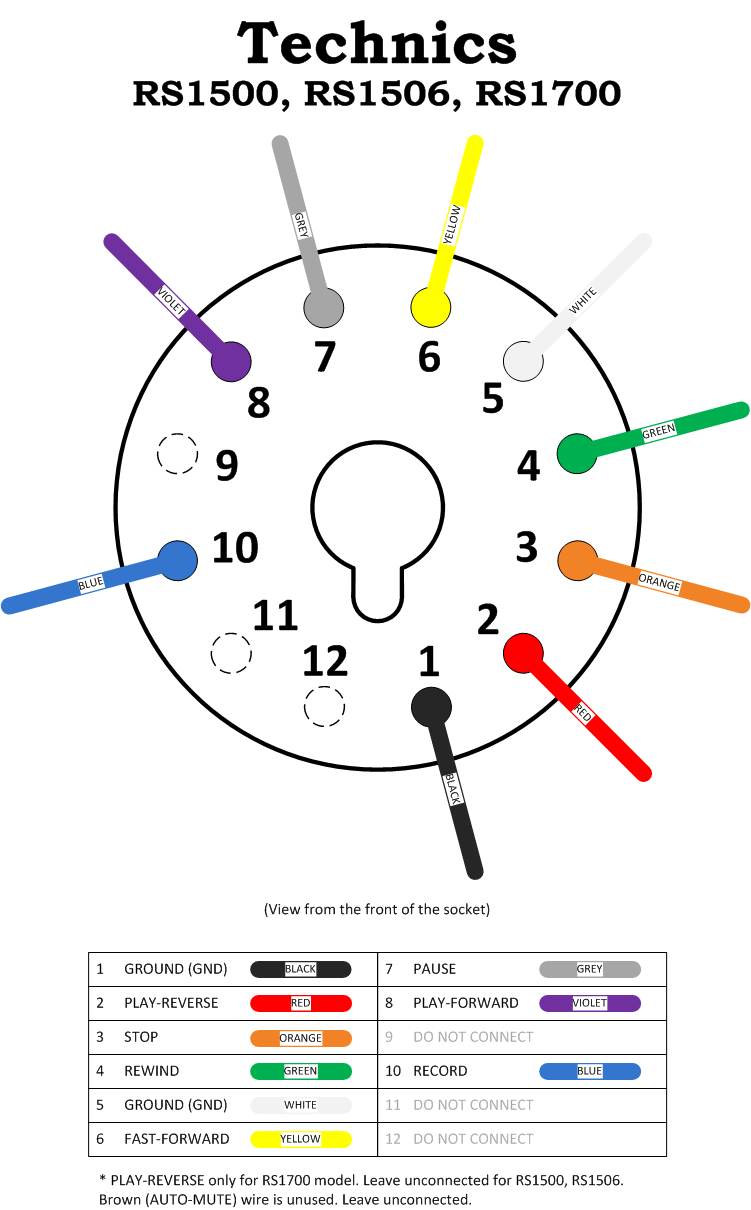
Please contact me if you have any troubles wiring the receiver to your tape machine.
Please note that you will need a mobile phone charger or similar to power the receiver. This is not supplied with the remote controller. I’m using an old iPhone charger without any issues.
Function map of the remote
The remote itself is an Amazon Firestick controller. Very well designed, with neatly laid oud and easy to read buttons. It’s small and easy to operate with one hand.
The picture below shows button layout and function description.
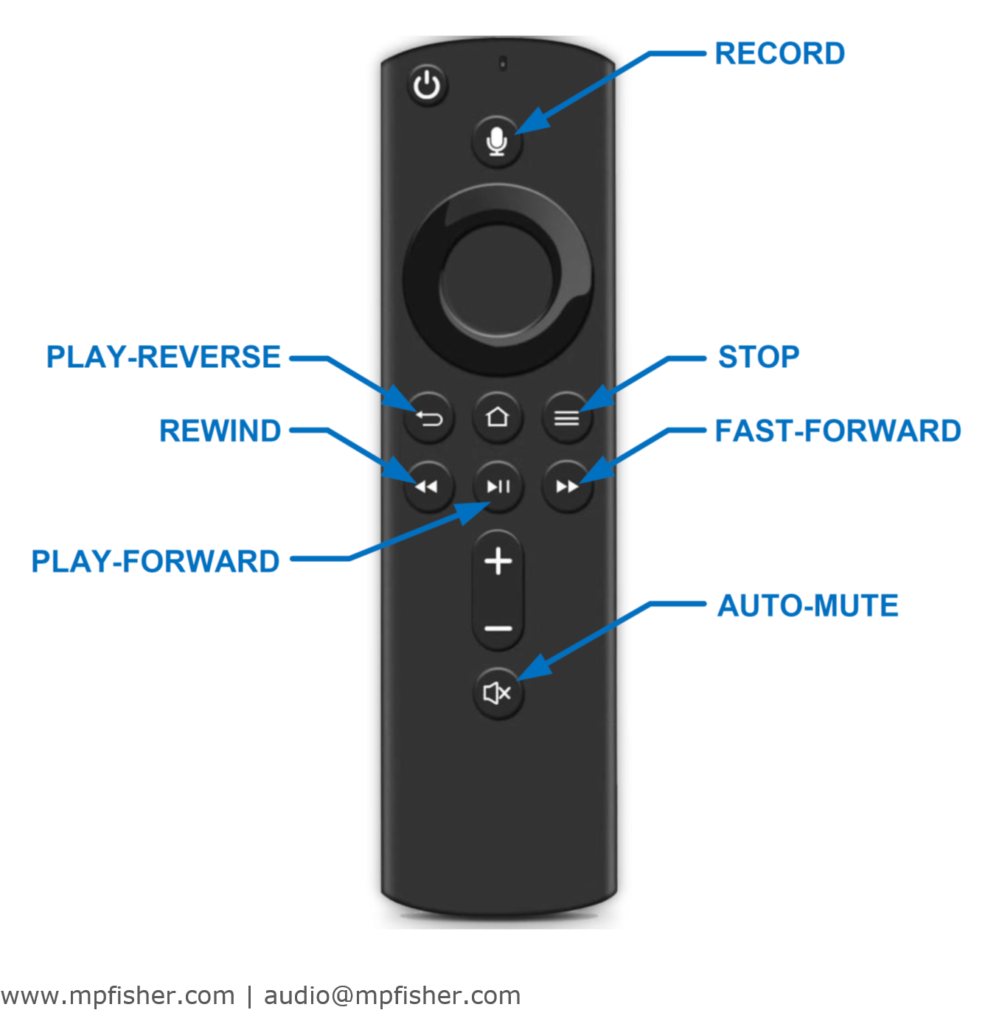
Note that even the functions such as record or auto-mute can be controlled which is unsupported on similar wireless remote controllers.
The record function can only be triggered by pressing the button sequence rather than a single button. This is to prevent accidental erasure of the tape. You must briefly press “RECORD” button and, within 3 seconds, press “PLAY-FORWARD” or “PLAY-REVERSE” to put your tape recorder in to recording standby.